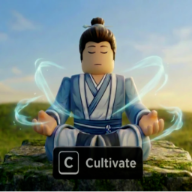
Is Cultivation Dao Online playable on mobile?
Yes — Roblox iOS and Android with full Shop, meditation, and combat. The official page lists mobile support alongside PC and Xbox.

Cultivation Dao Online mobile guide for Roblox: touch HUD layout, Shop codes tab, meditation UI, and phone grind tips without missing spins or breakthroughs.
Watch Cultivation Dao Online Roblox gameplay — cultivation loop, Shop HUD, and touch-friendly progression on mobile.
Cultivation Dao Online mobile runs on Roblox iOS and Android with the same cultivation loop as PC — awaken Spiritual Root, meditate, breakthrough, craft pills, and farm bosses. The official Roblox page lists Mobile and Tablet alongside PC and Xbox, so you do not need a desktop account to progress through Qi Realm 30 and Body Realm 30.
Obeying the heavens makes one mortal, defying the heavens makes one an immortal. Awaken your spiritual root, meditate and breakthrough! Craft Qi and Body pills to multiply your progress. Kill mobs and bosses to get stronger. Qi Realm 30 (1–10 each) and Body Realm 30 (1–10 each). Early Development on Roblox — PC, Mobile, Tablet, and Xbox.
This Cultivation Dao Online mobile guide covers Roblox touch controls, the left-side Shop HUD for code redemption, meditation and breakthrough menus, and performance settings for longer AFK sessions.
Mobile excels for daily code claims, short meditation blocks, and Discord-to-Roblox redeem loops. Precision Geppo hover farming is harder than on PC — read the controls guide for keyboard bindings and the enemies guide for touch-friendly farm routes.
Verified July 12, 2026 against Early Development v1.8.0 Shop layout and QoLUpdate HUD reports. Restart the Roblox app after patches if Shop icons overlap the joystick.
Roblox maps Cultivation Dao Online PC bindings to on-screen buttons on mobile. The official Roblox page documents PC and Xbox inputs; mobile uses the standard Roblox touch overlay with game-specific action buttons layered on top.
Run on PC uses Left Control; on mobile, use the virtual thumbstick on the left side of the screen. Hold the stick in the direction you want to move — there is no separate Run toggle on most Roblox mobile clients.
Dash maps to Q on PC and X on Xbox. On mobile, look for a Dash button on the right-side action cluster — tap it to dodge boss telegraphs or reposition during bandit quests. Dash cooldown matches PC.
Geppo maps to Space on PC and A on Xbox. On mobile, Geppo is a jump/air-hop button — critical for hover farming above mob hitboxes. Tap repeatedly to stay airborne while auto-attack swords clear packs per the farming guide.
Camera control uses drag-to-pan and pinch-to-zoom instead of scroll wheel. Zoom out before entering Frost Guard or Flame Sect zones so you can spot boss aggro ranges on a small screen.
Breakthrough and cultivation menus use B on PC — on mobile, tap the cultivation icon on the HUD (usually near Shop or center-bottom). If the menu fails to open, wait for the character to finish loading into the server first.
| Action | PC | Mobile touch | Notes |
|---|---|---|---|
| Run | Left Control | Left thumbstick | Hold direction to move |
| Dash | Q | Dash button (right HUD) | Dodge boss attacks |
| Geppo | Space | Jump / air-hop button | Hover farming core skill |
| Cultivation menu | B | Cultivation HUD icon | Qi / Body breakthrough |
| Auto-attack | Click / tap enemy | Tap mob or enable auto | Sword combat |
| Camera zoom | Scroll wheel | Pinch gesture | Scout boss arenas |
The Cultivation Dao Online mobile HUD splits into persistent left-rail menus and right-side combat controls. The Shop icon sits on the left — same position as PC — and holds Codes, spin panels, and Spirit Stone purchases.
Spirit Stone balance and realm progress typically appear near the top or center of the screen depending on Roblox safe-area padding. iPhone notches may clip edge UI — landscape mode reduces overlap.
Inventory, manuals, and training weights open from menu icons on the left or bottom bar. Long-press tooltips are inconsistent on Roblox mobile — read the pills guide before crafting so you know which herb recipes to select.
After QoLUpdate-era patches, community testers report fewer cases of the Shop icon hiding behind the joystick. If buttons misalign, force-close Roblox and rejoin Cultivation Dao Online on a fresh server.
Xbox players using the Roblox mobile companion app for chat should still redeem codes inside the game client — the Shop → Codes tab does not work from the website alone.
| HUD element | Tag | Mobile action |
|---|---|---|
| Shop icon | 🛒 | Left rail — Codes, spins, purchases |
| Codes tab | 🎫 | Inside Shop left menu |
| Cultivation icon | 🧘 | Meditation & breakthrough menus |
| Thumbstick | 🕹️ | Move / run |
| Dash / Geppo | ⚡ | Right-side combat mobility |
| Auto-attack sword | ⚔️ | Tap mob or toggle auto |
Redeem Cultivation Dao Online codes on mobile through the same Shop → Codes path as PC. Tap the Shop icon on the left HUD, select Codes on the left menu panel, paste the string, and tap Redeem.
Copy codes before opening Roblox. Open the codes page in Safari or Chrome, copy 5KLikes or 150KCommunityMembers, switch to the Roblox app, long-press the code field, and paste. Typing long milestone strings on a phone keyboard is the top failure source.
After a successful redeem, confirm Spirit Root Spin counters inside Shop before closing the menu. Mobile clients sometimes delay currency UI refresh — if spins do not appear, re-open Shop once.
The Shop also hosts Spirit Root Spins and Body Constitution Spins panels. Roll roots and constitution here after redeeming — see the spiritual root guide for stop-at-A-tier advice.
Spirit Stone purchases and pill interfaces live in the same Shop tree. Redeem all active codes before spending stones so your balance reflects free rewards first.
Full step-by-step troubleshooting — typos, expiration, already claimed — lives on the how to redeem guide. Mobile-specific paste tips are in the platforms section there.
Meditation on Cultivation Dao Online mobile fills Qi and Body progress bars the same way as PC. Open the cultivation menu from the HUD, select Qi or Body focus, and tap or hold the meditate action until the bar ticks upward.
AFK meditation works on mobile — leave the device plugged in, disable auto-lock in iOS/Android settings, and stay in a safe zone away from bandit aggro. Pop Qi or Body pills when the bar passes 70% for maximum multiplier uptime.
Breakthrough prompts appear at bar cap. Tap confirm to advance the realm — failed Body breakthroughs can drain HP, so keep Instant Health from codes in inventory before pushing past stage 5 on touch controls.
Switch between Qi and Body tracks when one bar stalls. Hybrid pacing from the cultivation guide prevents boss one-shots even if your Qi realm looks strong on paper.
Training weights for Body progression equip from inventory — purchase from the spawn merchant with Spirit Stones, then tap the weight icon. Body training taps use the same cultivate button as Qi meditation with a different mode selected.
Combat on Cultivation Dao Online mobile uses tap-to-target or auto-attack swords once you equip Classic Sword, Jian, or later drops from the enemies guide. Dash and Geppo replace mouse movement for kiting.
Hover farming — position above mob hitboxes with repeated Geppo taps, enable auto-attack, and let swords clear packs. This is the core Spirit Stone loop on phone, though it demands more finger stamina than PC Space-bar Geppo.
Boss fights like Maniac Sword Cultivator and Ember Golem need manual Dash timing on mobile. Watch telegraphs at zoomed-out camera — pinch zoom in only when you need to tap a manual skill from the Dao menu.
Manual skills (Slash, Double Slash, Fireball) appear as on-screen icons after dropping from mobs. Tap icons when off cooldown — there is no keyboard shortcut on touch.
If frame rate drops during dense Flame Sect packs, lower Roblox graphics quality before attempting Ember Golem — see performance tips below.
Graphics: Open Roblox settings → Graphics mode → Manual → lower quality one or two steps. Cultivation Dao Online Early Development zones get crowded on public servers — lower settings stabilize frame rate during Geppo hover farms.
Server choice: Join less populated servers for meditation AFK. High CCU instances lag mobile breakthrough prompts and Shop menu taps.
Battery & heat: Long meditation or boss farms drain battery fast. Plug in and remove thick phone cases that throttle performance when hot.
Storage: Clear Roblox cache if Shop menus fail to load after a patch — iOS Settings → Roblox → Offload, or Android app cache clear, then rejoin Cultivation Dao Online.
Network: Wi-Fi beats cellular for code redemption during patch day — Discord announcements and Roblox redeem both need stable connections. Avoid switching between wiki browser and Roblox mid-redeem; unsaved code text can clear on some Android clients.
Orientation: Landscape for combat and farming; portrait works for short code redeem sessions if you only need Shop access.
Updates: After QoLUpdate or BossesUpdate patches, restart Roblox once so HUD positions refresh — community reports fewer stuck Shop icons on v1.8.0 after a clean relaunch.
Yes — Roblox iOS and Android with full Shop, meditation, and combat. The official page lists mobile support alongside PC and Xbox.
Shop icon on the left HUD → Codes tab on the left menu. Same flow as PC per the redeem guide.
Dash and Geppo are on-screen buttons on the right HUD — they map to Q and Space on PC. Use the thumbstick to run.
Yes. Disable auto-lock, stay in a safe zone, and plug in. Pop pills for faster bars.
Same account progress. PC has an edge for precise Geppo hover farming — not a power gap, just control precision.
Lower Roblox graphics, join lower-pop servers, and restart after patches. See the performance section above.
Matched by build plan, shared topics, and guide progression — not random related links.